Posted by:


Artificial Intelligence is evolving fast—and with it comes a growing list of terms that can feel confusing. Three of the most talked-about concepts today are Generative AI, Agentic AI, and AI Agents.

While they may sound similar, they represent very different levels of capability and autonomy. Understanding these differences can help you decide which approach fits your business, product, or career path.

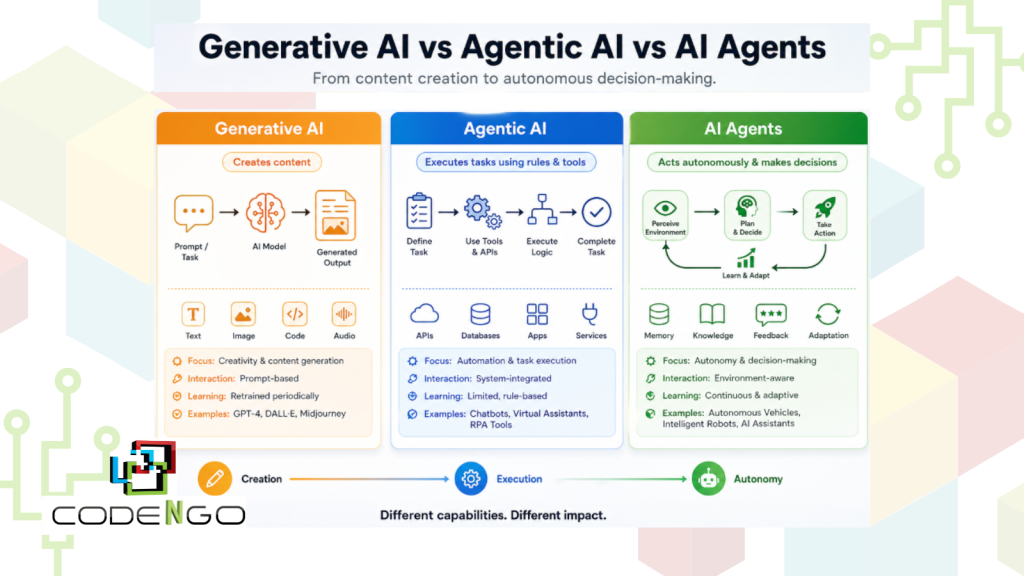
Generative-AI-vs-1024x576 Artificial Intelligence: Generative AI vs Agentic AI vs AI Agents Explained

1. Generative AI: The Creator

Generative AI is what most people are familiar with today. It’s designed to create content—whether that’s text, images, code, or audio.

How it works:

  • You give it a prompt or task
  • It uses trained data to generate a response
  • Output is produced instantly, based on patterns it learned during training

Typical workflow:

  1. Specify a task
  2. Collect and refine data
  3. Train a model
  4. Deploy
  5. Generate results
  6. Evaluate outputs

Key characteristics:

  • Focused on creativity and content generation
  • Not deeply integrated into systems
  • Requires human prompts to function

Examples:

  • Writing tools (blog posts, emails)
  • Image generators
  • Code assistants

Limitations:

Generative AI doesn’t “decide” what to do—it simply responds. It lacks autonomy and doesn’t act unless instructed.


2. Agentic AI: The Task Executor

Agentic AI goes a step further. Instead of just generating content, it is designed to complete tasks based on rules, logic, and integrations.

Think of it as AI that can follow instructions more intelligently.

How it works:

  • Takes a task
  • Selects appropriate models or tools
  • Connects to APIs or external systems
  • Executes steps based on logic

Typical workflow:

  1. Define task
  2. Choose AI model
  3. Integrate tools/APIs
  4. Add logic and iteration
  5. Execute actions
  6. Improve over time

Key characteristics:

  • Can automate workflows
  • Works within predefined rules
  • Uses tools like APIs to perform actions

Examples:

  • Chatbots that can book appointments
  • Virtual assistants that pull data from systems
  • Workflow automation tools

Limitations:

Agentic AI still relies on structured logic. It doesn’t fully adapt or make complex decisions beyond what it’s programmed to handle.


3. AI Agents: The Decision-Makers

AI Agents represent the most advanced stage. These systems are designed to act autonomously, make decisions, and continuously learn from interactions.

Instead of just executing tasks, they can:

  • Plan
  • Adapt
  • Iterate
  • Improve outcomes over time

How it works:

  • Receives a goal (not just a task)
  • Gathers relevant data
  • Designs multi-step processes
  • Executes actions
  • Learns from results
  • Adjusts behavior

Typical workflow:

  1. Define objective
  2. Fetch relevant data
  3. Design multi-step process
  4. Execute actions
  5. Evaluate results
  6. Update memory and improve

Key characteristics:

Examples:

  • Autonomous vehicles
  • Intelligent robotics
  • Advanced business process automation systems

Strength:

AI Agents can operate with minimal human intervention, making them ideal for complex, evolving environments.


Key Differences at a Glance

AspectGenerative AIAgentic AIAI Agents
PurposeCreate contentExecute tasksMake decisions
FunctionalityCreative outputRule-based automationAdaptive and autonomous
InteractionPrompt-basedSystem-integratedEnvironment-aware
LearningRetrained periodicallyLimited learningContinuous learning
ExamplesText/image generatorsChatbots, assistantsRobots, autonomous systems

So, Which One Should You Focus On?

It depends on your goals:

  • Content creation or marketing? → Start with Generative AI
  • Automating workflows or business tasks? → Use Agentic AI
  • Building advanced, scalable systems? → Explore AI Agents

Final Thoughts

The shift from Generative AI → Agentic AI → AI Agents represents a move from:
Creation → Execution → Autonomy

We’re entering a phase where AI is no longer just a tool—it’s becoming a collaborator and decision-maker.

If you’re building a business, learning tech skills, or exploring AI opportunities, understanding this progression will give you a major advantage.

Posted by:


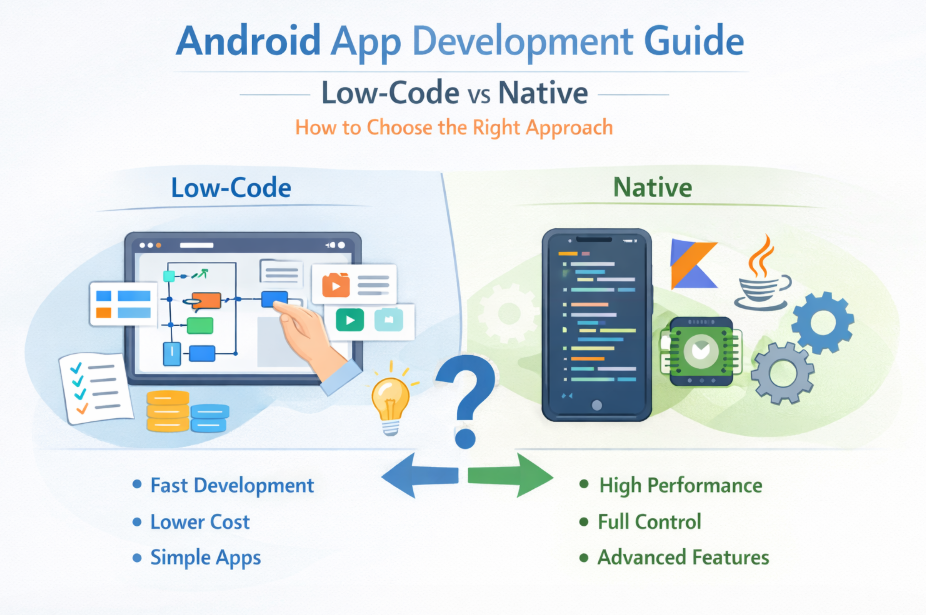
Modern Android app development has expanded beyond traditional coding practices. Developers and businesses can now choose between low-code platforms and fully native implementations depending on complexity, performance requirements, and time-to-market constraints.

While platforms like Google AppSheet enable rapid application delivery, native development using Android Studio with Kotlin or Java remains the standard for high-performance, scalable applications.

This article examines both approaches from a technical perspective and outlines when each is appropriate.

Android-App-Development-Should-You-Go-LowCode-or-Native Android App Development: Should You Go Low-Code or Native?

Low-Code in Android App Development

Low-code platforms abstract much of the application layer by providing declarative interfaces for UI, logic, and data binding. In tools like Google AppSheet, applications are typically generated from structured data sources (e.g., spreadsheets, databases), with logic defined through expressions and configuration rules.

Architecture Overview

Low-code apps generally follow:

  • Metadata-driven UI rendering
  • Cloud-managed backend services
  • Predefined component libraries
  • Limited client-side execution control

This abstraction significantly reduces development overhead but introduces constraints at lower layers of the stack.

Advantages

  • Rapid prototyping and deployment
  • Reduced need for specialized Android expertise
  • Built-in integrations (e.g., Google Workspace, REST endpoints)
  • Lower initial engineering cost

Technical Limitations

  • Limited access to Android SDK APIs
  • Restricted lifecycle management
  • Constrained UI customization (no granular control over Views/Compose)
  • Vendor lock-in and platform dependency
  • Performance overhead due to abstraction layers

Low-code is best viewed as a productivity layer—not a replacement for full Android engineering.


Native Android Development

Native Android app development provides direct access to the Android framework, enabling fine-grained control over performance, memory management, and device capabilities.

Typical stack:

  • Language: Kotlin (preferred), Java
  • IDE: Android Studio
  • UI: XML layouts or Jetpack Compose
  • Architecture: MVVM / Clean Architecture
  • Libraries: Jetpack components (LiveData, ViewModel, Room, etc.)

Advantages

  • Direct access to Android SDK and NDK
  • Full control over threading, memory, and lifecycle
  • Optimized performance (critical for real-time or graphics-heavy apps)
  • Custom UI/UX using Compose or custom Views
  • Better scalability and maintainability for large codebases

Trade-offs

  • Increased development time
  • Higher engineering cost
  • Requires experienced Android developers
  • More complex CI/CD and testing pipelines

Performance Considerations

From a systems perspective, the biggest differentiator in Android app development is execution control.

Low-Code:

  • Relies on platform-managed runtime
  • Additional abstraction layers introduce latency
  • Limited optimization opportunities

Native:

  • Direct execution on the Android runtime (ART)
  • Fine-tuned performance (e.g., coroutine optimization, memory profiling)
  • GPU acceleration and hardware-level access

For compute-intensive or real-time applications, native development is non-negotiable.


When to Use Low-Code in Android App Development

Low-code platforms are suitable when:

  • The app is CRUD-heavy (Create, Read, Update, Delete)
  • Data is the central component (e.g., dashboards, reporting tools)
  • Time-to-market is critical
  • The application is internal-facing
  • Offline capability and hardware access are not core requirements

Example Scenarios

  • Internal operations dashboards
  • Workflow automation tools
  • Inventory and asset tracking systems
  • Lightweight field data collection apps

When to Use Native Development

Native Android app development is required when:

  • Performance is critical (e.g., real-time updates, animations)
  • Advanced UI/UX is needed (custom gestures, animations, transitions)
  • Deep hardware integration is required (camera, sensors, Bluetooth LE)
  • Offline-first architecture is necessary
  • The application must scale across a large user base

Example Scenarios

  • E-commerce platforms with dynamic UI
  • Real-time messaging apps
  • Fintech or banking applications
  • AR/VR or graphics-intensive apps
  • Large-scale consumer-facing platforms

Scalability and Maintainability

Low-code platforms often struggle with:

  • Complex business logic
  • Version control limitations
  • Debugging and observability constraints

In contrast, native Android app development supports:

  • Modular architectures
  • Automated testing (unit, UI, integration)
  • CI/CD pipelines
  • Code versioning (Git-based workflows)

For long-term projects, maintainability strongly favors native implementations.


Hybrid Strategy: Iteration vs Optimization

A practical approach in Android app development is:

  1. Use low-code platforms like Google AppSheet for MVP validation
  2. Transition to native development once requirements stabilize

This allows teams to:

  • Validate product-market fit quickly
  • Reduce initial engineering investment
  • Rebuild with optimized architecture later

Final Thoughts

Android app development is no longer a binary choice between “easy” and “powerful”—it’s about selecting the right abstraction level for your use case.

Low-code platforms like Google AppSheet are effective for rapid delivery and internal tools, but they impose limitations that become significant as complexity increases.

Native development with Android Studio, Kotlin, and Java remains the optimal path for performance-critical, scalable, and feature-rich applications.

The key is not choosing one over the other blindly—but aligning your development approach with your system requirements and long-term architecture goals.

Posted by:


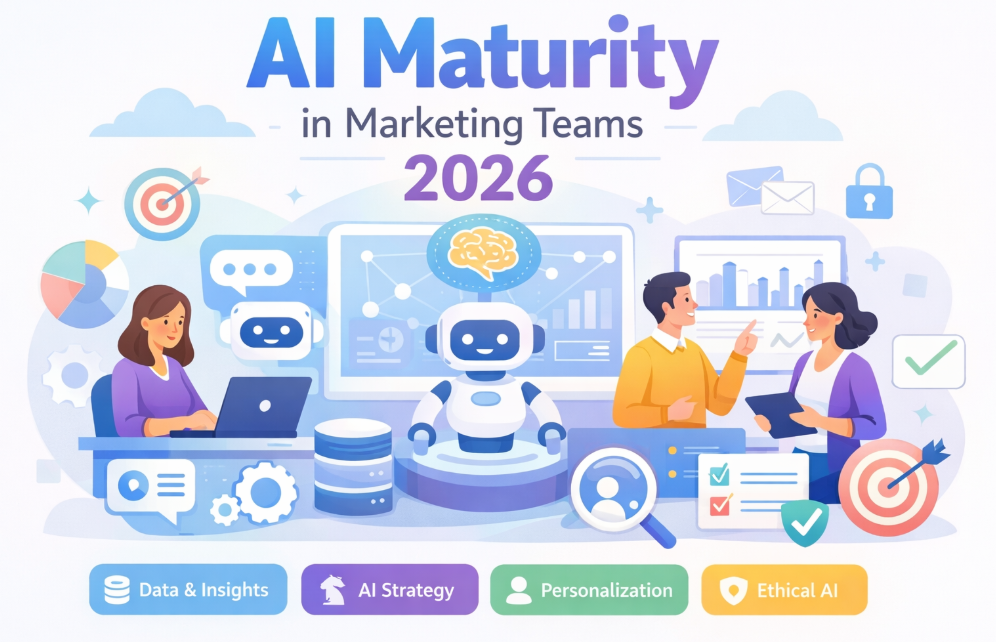
In 2026, artificial intelligence (AI) has moved far beyond buzzwords and pilot projects. For marketing teams, maturity in AI isn’t simply about using tools — it’s about how deeply and strategically AI is integrated into every aspect of their operations. The companies that win today aren’t just using AI — they’re built around AI-enhanced workflows, data, and decision-making.

AI-maturity-Marketing What Does AI Maturity Look Like for Marketing Teams in 2026?

1. AI Is Embedded — Not Optional

By 2026, AI is fully integrated into marketing workflows—from personalization and content to analytics and testing. It’s no longer a tool, but a core part of how teams operate and improve results.


2. Data Is the Foundation

Mature teams rely on clean, centralized, and well-governed data. Real-time insights and a single source of truth power better personalization and smarter decisions.


3. AI Drives Strategy

AI goes beyond automation to shape strategy—guiding targeting, messaging, pricing, and investment decisions through predictive insights.


4. Teams Are AI-Skilled

AI maturity requires skilled people. Marketing teams now include data experts, prioritize AI literacy, and collaborate closely with technical teams.


5. Personalization with Ethics

Advanced teams deliver personalized experiences while respecting privacy, using transparent and consent-driven data practices.


6. Continuous Optimization

With real-time feedback loops, AI models constantly learn and improve, allowing campaigns to adapt quickly and perform better.


7. Responsible AI Is Essential

Ethics, bias monitoring, and governance are standard. Trust and accountability are key expectations in 2026.


8. ROI Is Measurable

AI maturity leads to clear results—higher ROI, reduced churn, and faster execution—making its business impact undeniable.


Conclusion

AI maturity means combining strong data, smart strategy, skilled teams, and ethical practices. In 2026, the most successful marketing teams are those built around AI—not just using it.

Posted by:


Generative AI (Gen AI) has quickly moved from experimental technology to a core feature in modern mobile apps. From AI assistants and content-creation tools to coding copilots and personalized recommendation engines, generative AI is reshaping how mobile applications are built, used, and monetized.

For mobile app developers and businesses, understanding this shift is no longer optional — it’s essential.

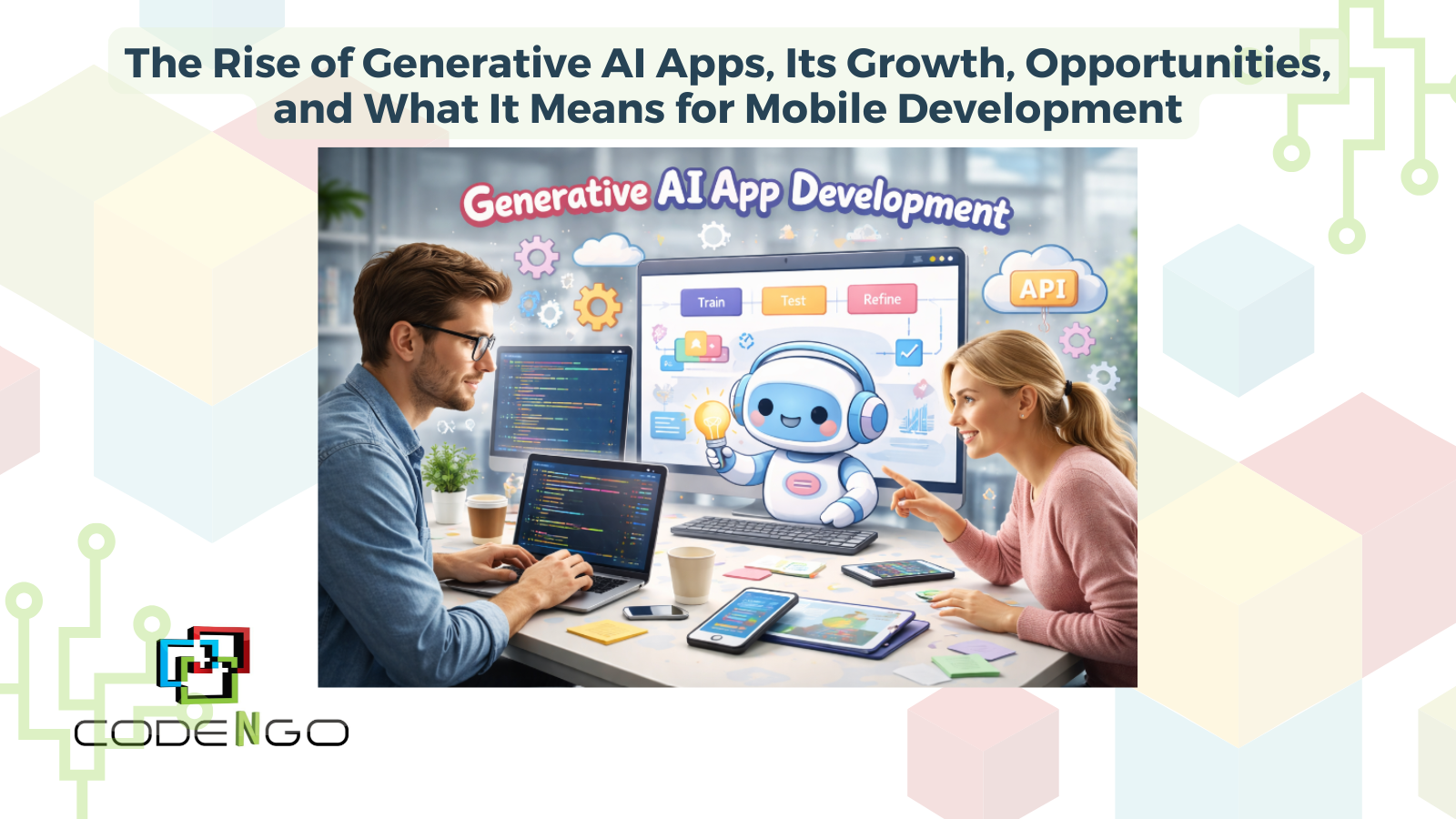
Rise-of-Generative-AI-Apps The Rise of Generative AI Apps

Let’s explore how fast Gen AI apps are growing and what their rise means for developers, end users, and business owners.


Explosive Growth of Generative AI Apps

The adoption of generative AI apps has accelerated dramatically since 2023. By 2025, Gen AI apps were already one of the fastest-growing mobile categories.

Market intelligence data shows:

Growth continued throughout the year:

  • AI-app downloads reached 3.8 billion globally in 2025

  • Consumer spending on generative AI apps is expected to exceed $10 billion in 2026

This trajectory signals a major shift in the mobile ecosystem — from apps that use AI occasionally to apps that are AI-native by design.


Why Generative AI Apps Are Growing So Fast

Several forces are driving the rapid expansion of Gen AI mobile apps:

1. AI assistants becoming mainstream

AI chatbots and productivity assistants are now among the most downloaded apps globally, helping users write, code, learn, design, and automate tasks.

2. Falling barriers to AI development

Pre-trained models, APIs, and AI platforms allow developers to integrate advanced AI features without building models from scratch.

3. Strong enterprise investment

Companies worldwide are investing heavily in AI-powered tools and services, accelerating innovation across industries.

4. Growing user engagement

AI apps are not just downloaded — they’re used frequently and for longer sessions than many traditional apps.


Impact on Mobile App Developers

Generative AI is transforming how software is built.

Faster development cycles

AI coding assistants and copilots are improving developer productivity. Studies show generative AI coding tools can increase participation and productivity in software projects while automating repetitive tasks.

Another study found 84% of developers reported positive changes in their daily work practices after adopting AI coding tools.

This means developers can:

  • Prototype features faster

  • Generate UI components and code snippets

  • Automate documentation and testing

  • Focus on architecture and problem-solving

New skill requirements

Developers increasingly need skills in:

  • Prompt engineering

  • AI model integration

  • API orchestration

  • Responsible AI design

  • AI output validation

In short, developers are evolving from code writers to AI-augmented builders.


Impact on End Users

For users, generative AI apps are changing expectations about what mobile apps can do.

Hyper-personalized experiences

AI can generate recommendations, content, and workflows tailored to individual users in real time.

Productivity on demand

Users can now:

  • Generate text, images, and videos

  • Translate languages instantly

  • Automate tasks

  • Learn new skills interactively

This shift is driving deeper engagement — with users spending significantly more time inside AI-powered apps than before.

However, users are also becoming more aware of issues like:

  • AI accuracy

  • privacy and data usage

  • content reliability

These concerns will shape the next generation of AI-enabled apps.


Impact on Business Owners

For businesses, generative AI apps represent both opportunity and competitive pressure.

New revenue opportunities

AI features are enabling:

  • Subscription-based AI tools

  • AI-powered premium features

  • automated customer support

  • personalized marketing experiences

With consumer spending on Gen AI apps projected to surpass $10 billion in 2026, AI is becoming a major app monetization channel.

Competitive advantage through automation

Businesses are using generative AI to:

Enterprise demand for AI tools continues to grow rapidly across industries.

Organizations that adopt AI strategically are likely to innovate faster than competitors.


The Future of Generative AI in Mobile Apps

The next wave of mobile apps will likely be AI-native, meaning AI is central to the app’s functionality rather than an optional feature.

We can expect:

  • AI agents embedded inside apps

  • on-device AI processing

  • multimodal AI experiences

  • real-time personalization

  • AI-assisted development workflows

Generative AI is not just another app feature — it’s becoming the foundation of modern software experiences.


Final Thoughts

Generative AI apps are reshaping the mobile app industry at every level. Developers are building faster, users are interacting differently with technology, and businesses are discovering new ways to create value.

As the ecosystem continues to evolve, the most successful mobile apps will be those that combine strong user experience design, responsible AI usage, and real-world problem-solving.

The rise of generative AI apps marks the beginning of a new era in mobile development — one where creativity, automation, and intelligence are built directly into the apps we use every day.

Posted by:


Artificial intelligence is rapidly changing how people discover information online. Instead of clicking through pages of search results, users now rely on AI-powered tools—such as chatbots, voice assistants, and AI search experiences—to get direct answers. This shift has introduced a new concept: AI optimization.

But how is AI optimization different from traditional SEO, and is it really necessary? Let’s break it down.


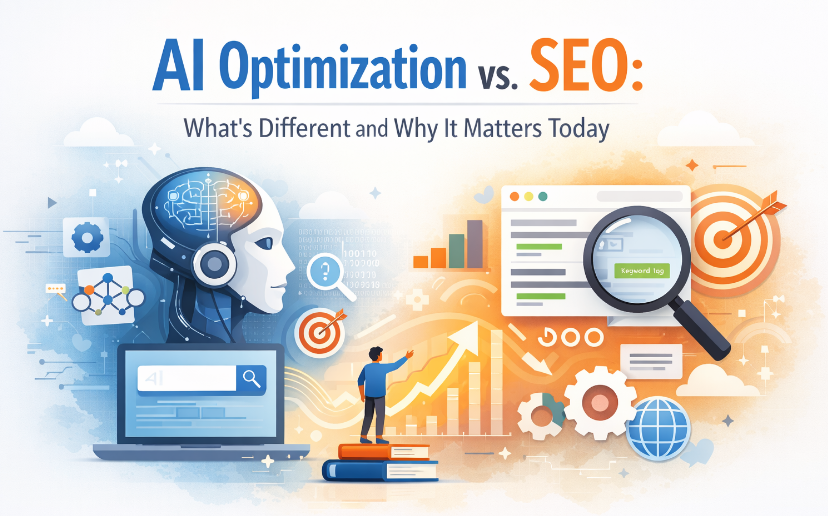
AI-Optimization AI Optimization: How It Differs from SEO and Why It Matters

What Is AI Optimization?

AI optimization is the practice of structuring content so artificial intelligence systems can easily understand, extract, and reuse it when generating answers.

Unlike traditional search engines that rank pages, AI systems:

  • Analyze meaning and intent

  • Summarize information

  • Generate conversational responses

AI optimization ensures your content is clear, contextual, and trustworthy enough to be selected as a source.

Example

If a user asks an AI assistant:

“What’s the difference between AI optimization and SEO?”

An AI-optimized article:

  • Clearly defines both concepts

  • Uses headings and comparisons

  • Provides direct answers

A poorly optimized article:

  • Bury definitions in long paragraphs

  • Focus only on keywords

  • Lacks clear structure

Only the first is likely to be used by AI.


How AI Optimization Differs from SEO

1. Rankings vs. Answers

SEO focuses on ranking web pages in search results.
AI optimization focuses on being selected as a source for AI-generated responses.

SEO wants clicks.
AI optimization wants comprehension.


2. Keywords vs. Context

SEO emphasizes keywords and search volume.
AI optimization prioritizes:

  • Context

  • Topic depth

  • Natural language

Example

SEO-style content:

“AI optimization SEO difference AI optimization vs SEO benefits”

AI-optimized content:

“AI optimization focuses on helping AI systems understand content, while SEO is designed to improve visibility in traditional search results.”


3. Traffic vs. Trust

SEO success is measured by traffic and rankings.
AI optimization is driven by:

  • Accuracy

  • Authority

  • Clarity

AI systems prefer content that:

  • Answers questions directly

  • Avoids exaggeration

  • Demonstrates expertise


4. Pages vs. Structured Knowledge

SEO can work with loosely organized pages.
AI optimization thrives on structure:

  • Headings (H2, H3)

  • Bullet points

  • FAQs

  • Definitions

  • Summaries

  • Schema markup

This helps AI “understand” and reuse your content correctly.


Is AI Optimization Necessary?

Yes—and increasingly so.

1. AI-Powered Search Is Growing

Search engines now display AI summaries before organic results. If your content isn’t optimized for AI understanding, it may never be seen.


2. Users Ask Questions, Not Keywords

People now search like they speak:

  • “Is AI optimization worth it?”

  • “How is AI optimization different from SEO?”

AI optimization aligns content with natural human questions.


3. Early Movers Gain Authority

AI systems learn over time. Brands that publish clear, authoritative content early are more likely to become trusted AI sources in their niche.


4. SEO Alone Is No Longer Enough

SEO brings users to your site.
AI optimization ensures your content still matters when users never click at all.

The two work best together, not separately.


How to Optimize Content for AI (Practical Examples)

Example: Turning SEO Content into AI-Optimized Content

Before (SEO-only):

  • Long paragraphs

  • Keyword-focused headings

  • No direct answers

After (AI-optimized):

  • Clear definitions at the top

  • Question-based subheadings

  • Bullet points and summaries

  • FAQ section answering common questions

Simple AI Optimization Checklist

  • Write clear definitions early

  • Use conversational language

  • Answer “what,” “why,” and “how”

  • Add FAQs

  • Avoid filler content

  • Keep explanations factual and concise


Suggested Visuals to Add to the Article

You can enhance engagement by adding visuals such as:

  1. Comparison Table Graphic
    SEO vs AI Optimization (Rankings vs Answers, Keywords vs Context)

  2. Flow Diagram
    Traditional Search → Click → Page
    AI Search → Understanding → Generated Answer

  3. Illustration
    A chatbot pulling information from structured content blocks

  4. Checklist Graphic
    “AI Optimization Best Practices”


Final Thoughts

AI optimization is not replacing SEO—it’s evolving it.

As AI increasingly controls how information is discovered and delivered, optimizing your content for AI understanding is becoming just as important as optimizing for search engines.

If visibility, relevance, and authority matter to your business, AI optimization is no longer optional—it’s strategic.

Posted by:


Android app development is evolving faster than ever, and 2026 marks a shift toward smarter, more efficient, and privacy-first applications. With AI-native experiences, multi-device optimization, and stricter platform policies becoming the norm, Android developers must adapt to stay competitive.

This guide explores the key Android app development trends for 2026 and what developers should prepare for in the coming year.

2026-Android-Development-Guide Android App Development Trends for 2026: A Developer-Focused GuideAI-Native Android Apps Become the Standard

By 2026, artificial intelligence is no longer a feature—it’s a foundation.

Android apps are increasingly built with AI at their core, leveraging:

  • On-device machine learning using TensorFlow Lite and NNAPI

  • Smarter personalization, recommendations, and predictive features

  • Reduced cloud dependency for faster performance and better privacy

Android Studio is also evolving with AI-assisted coding, debugging, and testing, allowing developers to ship features faster with fewer errors.

What this means for developers:
Design apps with AI-first architecture and prioritize local inference to improve speed, reduce costs, and comply with privacy expectations.


Jetpack Compose Becomes the Default UI Framework

Jetpack Compose continues to replace traditional XML layouts and is now the preferred approach for modern Android UI development.

Why Jetpack Compose dominates in 2026:

  • Faster UI iteration and less boilerplate code

  • Easier support for adaptive layouts

  • Built-in compatibility with foldables, tablets, and large screens

With Google doubling down on Compose, developers who haven’t transitioned yet may struggle to keep up with UI scalability demands.


Privacy-First Android App Architecture

Privacy remains a top priority in Android development.

In 2026, developers must account for:

  • Stricter permission handling

  • Limited background data access

  • Clear disclosure of data usage and storage

Apps that rely heavily on tracking or unnecessary permissions risk lower store visibility—or rejection.

Best practice:
Adopt a privacy-by-design approach. Minimize data collection, process data locally when possible, and clearly explain why permissions are needed.


Smarter Monetization Strategies Replace Aggressive Ads

Traditional ad-heavy monetization models are losing effectiveness.

Successful Android apps in 2026 use:

  • Hybrid monetization (freemium + subscriptions + optional ads)

  • AI-personalized offers and pricing

  • Reward-based ads that users opt into voluntarily

This shift improves retention while maintaining revenue.

Developer takeaway:
Focus on value-driven monetization that enhances—not interrupts—the user experience.


Multi-Device and Foldable Optimization Is No Longer Optional

Android apps must now perform seamlessly across:

  • Phones and tablets

  • Foldables and dual-screen devices

  • Chromebooks, Android TV, and Android Auto

Support for multi-window mode, continuity features, and adaptive layouts is essential.

Jetpack libraries and Compose make it easier to design once and scale across devices.


Faster Development Cycles with AI-Powered Tooling

Android development in 2026 benefits from smarter tools and automation:

  • AI-assisted testing and QA

  • Automated performance profiling

  • Easier compliance with Play Store policies

Smaller teams can now build, test, and deploy high-quality apps faster than ever.


Performance and Sustainability Take Center Stage

Efficiency is a competitive advantage.

Google increasingly prioritizes:

  • Battery-efficient apps

  • Optimized background processing

  • Smaller app sizes and faster load times

Apps that drain battery or consume excessive resources risk poor reviews and lower rankings.


Final Thoughts

Android app development in 2026 rewards developers who build intelligent, privacy-first, and device-adaptive apps. AI-native design, modern UI frameworks, and user-friendly monetization are no longer optional—they’re expected.

For developers willing to adapt, 2026 offers powerful tools, broader reach, and new opportunities to create meaningful Android experiences.

Posted by:


Hybrid monetization and Voice User Interfaces (VUI) are transforming mobile app development. As competition grows, app creators are turning to these strategies to improve user experience, increase engagement, and maximize revenue.


Hybrid-monetization Hybrid Monetization and VUI in Mobile App Development: Benefits, Use Cases & Best Practices


What Is Hybrid Monetization in Mobile Apps?

It’s the use of multiple revenue models in one app, such as:

  • Ads + in-app purchases

  • Free app + subscription

  • Freemium + rewarded ads

This helps developers earn from both paying and non-paying users.

What Is VUI?

A Voice User Interface lets people interact using voice commands instead of tapping.

Examples:
“Play next video,” “Add to cart,” “Upgrade to premium.”

How They Work Together

  • Voice makes upgrades and purchases frictionless

  • Voice-triggered offers (e.g., “Say ‘Yes’ to watch an ad for 20 coins”)

  • Better accessibility → more users → more revenue

  • Perfect for hands-free scenarios like fitness, cooking, or driving apps

Benefits for Developers

  • Multiple revenue streams

  • Higher conversion rates via voice commands

  • Better user engagement

  • Competitive advantage

Benefits for Users

  • Faster, hands-free experience

  • Flexible ways to use or pay

  • More personalization

  • Accessible for visually impaired or elderly users

Bottom Line

Hybrid monetization boosts revenue stability, and VUI boosts user engagement. Together, they create modern apps that are profitable, accessible, and future-ready.

Posted by:


AI-native CRM is reshaping the way businesses manage and nurture customer relationships. Unlike traditional CRM systems that depend heavily on manual data entry and basic analytics, AI-native CRMs are designed with artificial intelligence at their core. They can automatically analyze customer behavior, predict buying patterns, and personalize communication at scale—turning what used to be time-consuming tasks into seamless, intelligent processes.


AI-Native-CRM The Future of Customer Relationships with AI-Native CRM

What Modern CRM Looks Like with AI at Its Core

The next generation of CRM platforms is built around artificial intelligence. Instead of manual data entry and scattered insights, today’s systems learn from customer behavior, automate routine tasks, and provide real-time recommendations. This shift makes customer management more intuitive, accurate, and adaptive.


Key Benefits of AI-Enhanced CRM

1. Real-Time Customer Insights

AI-powered platforms evaluate customer actions instantly, helping businesses:

  • Detect purchase intent
  • Predict future behavior
  • Identify signs of churn
  • Personalize communication

This moves engagement from reactive to proactive.


2. Automation That Maximizes Efficiency

Modern CRM tools streamline repetitive tasks, including:

  • Data cleanup
  • Lead scoring
  • Ticket routing
  • Report generation

With less manual work, teams have more time for meaningful customer interactions.


3. Personalization at Scale

AI helps businesses tailor experiences to thousands of customers at once by adjusting:

  • Recommendations
  • Message timing
  • Customer journey stages
  • Offers and follow-ups

The result? More engagement and stronger loyalty.


4. Smarter Decision-Making

Teams gain access to:

  • Predictive analytics
  • Customer health scoring
  • Accurate forecasts
  • Recommended next steps

This leads to better marketing performance and more informed sales strategies.


How AI Improves Customer Experience

Predictive Support Before Issues Arise

Systems can surface early warning signs, allowing teams to address concerns before customers reach out.

More Human Touch, Less Manual Work

AI manages data and analysis, freeing people to focus on empathy, problem-solving, and connection.

Unified Customer Journeys Across Channels

AI-powered CRM blends data from email, social media, mobile apps, websites, and chat to create a smooth, consistent experience.


Why AI-Driven CRM Is the Future

As customer expectations rise, businesses need tools that think faster and adapt instantly. AI-powered systems deliver personalized communication, quick support, and smarter insights—key elements for long-term growth.

Early adopters will enjoy advantages such as:

  • Stronger customer loyalty
  • Streamlined workflows
  • Faster decision-making
  • Higher engagement rates
  • Consistent, meaningful interactions

This technology isn’t just an upgrade—it’s the direction customer relationship management is heading.


Conclusion: Blending Intelligence with Human Connection

AI-powered CRM strengthens the relationship between businesses and their customers by combining automated intelligence with the human touch. With better insights, smoother workflows, and more personalized engagement, companies can build relationships that feel natural, timely, and genuinely helpful.

Posted by:


Streamlined Mobile App Development has become essential in today’s fast-paced digital world, where people rely on mobile apps for almost everything — from shopping and banking to communication and entertainment. For businesses, having a fast, reliable, and user-friendly app isn’t just an advantage anymore, it’s a necessity.

This approach focuses on building apps smarter and faster by simplifying workflows, automating processes, and using modern tools to deliver high-quality results in less time. However, while streamlined development brings many advantages, it also comes with its own set of challenges that developers and teams must carefully navigate.

Streamlined-Mobile-App-Development-1024x576 Streamlined Mobile App Development, Challenges and Key Things to Keep in Mind

What Does “Streamlined” Development Mean?

In simple terms, streamlined development is about making the app-building process more efficient. Think of it as removing unnecessary steps, automating repetitive tasks, and using the best tools to save time.

Here’s what it often includes:

  • Using cross-platform tools like Flutter or React Native to build one app that works on both iOS and Android.
  • Setting up CI/CD pipelines to automate testing and deployment.
  • Adopting Agile or DevOps methods for better teamwork and faster releases.
  • Trying low-code or no-code platforms for quick prototyping.

The goal? Launch faster, spend less, and still deliver an app users love.


The Challenges Along the Way

Even with all the right tools, streamlined development isn’t always smooth sailing. Here are some common hurdles:

1. Balancing Speed and Quality

The pressure to release quickly can lead to missed bugs or performance issues. It’s tempting to skip testing but that’s where problems sneak in. The key is to move fast and keep quality checks in place.

2. Too Many Devices, Too Many Differences

Developers have to make sure apps look and work well on all kinds of phones and operating systems. Even with cross-platform frameworks, some things behave differently on iOS vs Android, and that means more testing.

3. Integration Overload

Most apps today depend on third-party services for logins, payments, maps, or notifications. Managing these integrations while keeping the app secure and stable can be tricky.

4. Security and Privacy Risks

When things move fast, it’s easy to overlook data protection. But one security flaw can cost trust — and money. Security has to be part of the process from day one, not an afterthought.

5. Keeping Everyone on the Same Page

Streamlined doesn’t just mean faster code, it also means better communication. Misunderstandings between developers, designers, and testers can slow things down, so collaboration tools and clear documentation are a must.


How to Make Streamlined Development Work

Want to enjoy the benefits without falling into the common traps? Here are a few best practices:

  • Build on a strong foundation. Use scalable architecture so adding new features later won’t break your app.
  • Automate everything you can. Automated testing and deployment pipelines save time and reduce mistakes.
  • Keep users front and center. Even the fastest app won’t succeed if it’s confusing or clunky. Gather feedback early.
  • Think security from the start. Protect user data and make privacy a top priority.
  • Keep improving after launch. Streamlined doesn’t stop at release, monitor performance and keep refining.

Final Thoughts

Streamlined mobile app development is transforming how apps are built and launched. It helps teams work faster, smarter, and more efficiently but it also requires discipline, good communication, and a focus on quality.

When done right, it’s the perfect balance of speed and reliability — allowing businesses to deliver mobile experiences that truly stand out in today’s competitive market.

Posted by:


AI is Shaping the Future of creative effectiveness in ways we could only imagine a decade ago. From advertising campaigns and content creation to design personalization and data-driven storytelling, artificial intelligence is no longer just a supportive tool—it’s becoming a driving force behind how brands, creators, and businesses engage with audiences.

AI-is-Shaping-the-Future How AI is Shaping the Future of Creative Effectiveness

Unlocking Data-Driven Creativity

Traditionally, creative effectiveness was measured through trial, error, and intuition. Today, AI empowers creators with real-time insights. By analyzing consumer behavior, sentiment, and engagement data, AI tools allow teams to craft campaigns that are not only imaginative but also strategically aligned with audience needs. This fusion of data and creativity ensures that ideas resonate more effectively, saving both time and resources.

Personalization at Scale

One of the most powerful ways AI is reshaping creativity is through personalization. Modern consumers expect content tailored to their preferences, and AI makes it possible to deliver at scale. Whether it’s dynamic ad copy, personalized product recommendations, or unique visual designs, AI systems can generate countless variations that feel personal while still being cost-effective.

Enhancing Human Creativity

Rather than replacing human creativity, AI augments it. Tools like generative AI, image recognition, and natural language processing can handle repetitive or technical tasks, freeing creators to focus on high-level ideas and innovation. For instance, AI can suggest color palettes, draft ad headlines, or generate music scores—while the human touch ensures the emotional depth and originality remain intact.

Smarter Measurement of Success

Evaluating creative effectiveness has always been a challenge. AI provides smarter measurement tools, enabling marketers and creators to assess performance in real time. From tracking how audiences interact with content to predicting campaign outcomes, AI helps optimize strategies before resources are wasted, making the creative process more efficient and impactful.

The Future of Creative Collaboration

AI is also transforming collaboration. Cloud-based AI platforms allow teams across different geographies to co-create, analyze, and iterate seamlessly. This creates a more dynamic workflow where creativity is no longer limited by time zones, manual bottlenecks, or resource constraints.

Conclusion

AI is Shaping the Future of creative effectiveness by merging art with science. It empowers businesses to deliver more relevant, personalized, and impactful content while enhancing the role of human creativity. As AI tools evolve, the partnership between technology and imagination will redefine how we measure success and engage with audiences, ensuring creativity continues to thrive in a digital-first world.