
Modern Android app development has expanded beyond traditional coding practices. Developers and businesses can now choose between low-code platforms and fully native implementations depending on complexity, performance requirements, and time-to-market constraints.
While platforms like Google AppSheet enable rapid application delivery, native development using Android Studio with Kotlin or Java remains the standard for high-performance, scalable applications.
This article examines both approaches from a technical perspective and outlines when each is appropriate.
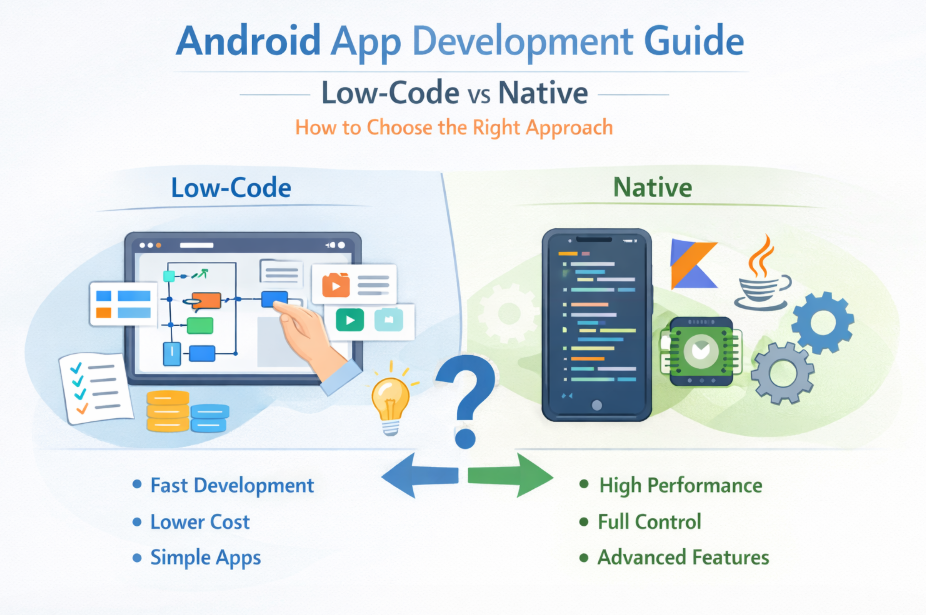
Low-Code in Android App Development
Low-code platforms abstract much of the application layer by providing declarative interfaces for UI, logic, and data binding. In tools like Google AppSheet, applications are typically generated from structured data sources (e.g., spreadsheets, databases), with logic defined through expressions and configuration rules.
Architecture Overview
Low-code apps generally follow:
- Metadata-driven UI rendering
- Cloud-managed backend services
- Predefined component libraries
- Limited client-side execution control
This abstraction significantly reduces development overhead but introduces constraints at lower layers of the stack.
Advantages
- Rapid prototyping and deployment
- Reduced need for specialized Android expertise
- Built-in integrations (e.g., Google Workspace, REST endpoints)
- Lower initial engineering cost
Technical Limitations
- Limited access to Android SDK APIs
- Restricted lifecycle management
- Constrained UI customization (no granular control over Views/Compose)
- Vendor lock-in and platform dependency
- Performance overhead due to abstraction layers
Low-code is best viewed as a productivity layer—not a replacement for full Android engineering.
Native Android Development
Native Android app development provides direct access to the Android framework, enabling fine-grained control over performance, memory management, and device capabilities.
Typical stack:
- Language: Kotlin (preferred), Java
- IDE: Android Studio
- UI: XML layouts or Jetpack Compose
- Architecture: MVVM / Clean Architecture
- Libraries: Jetpack components (LiveData, ViewModel, Room, etc.)
Advantages
- Direct access to Android SDK and NDK
- Full control over threading, memory, and lifecycle
- Optimized performance (critical for real-time or graphics-heavy apps)
- Custom UI/UX using Compose or custom Views
- Better scalability and maintainability for large codebases
Trade-offs
- Increased development time
- Higher engineering cost
- Requires experienced Android developers
- More complex CI/CD and testing pipelines
Performance Considerations
From a systems perspective, the biggest differentiator in Android app development is execution control.
Low-Code:
- Relies on platform-managed runtime
- Additional abstraction layers introduce latency
- Limited optimization opportunities
Native:
- Direct execution on the Android runtime (ART)
- Fine-tuned performance (e.g., coroutine optimization, memory profiling)
- GPU acceleration and hardware-level access
For compute-intensive or real-time applications, native development is non-negotiable.
When to Use Low-Code in Android App Development
Low-code platforms are suitable when:
- The app is CRUD-heavy (Create, Read, Update, Delete)
- Data is the central component (e.g., dashboards, reporting tools)
- Time-to-market is critical
- The application is internal-facing
- Offline capability and hardware access are not core requirements
Example Scenarios
- Internal operations dashboards
- Workflow automation tools
- Inventory and asset tracking systems
- Lightweight field data collection apps
When to Use Native Development
Native Android app development is required when:
- Performance is critical (e.g., real-time updates, animations)
- Advanced UI/UX is needed (custom gestures, animations, transitions)
- Deep hardware integration is required (camera, sensors, Bluetooth LE)
- Offline-first architecture is necessary
- The application must scale across a large user base
Example Scenarios
- E-commerce platforms with dynamic UI
- Real-time messaging apps
- Fintech or banking applications
- AR/VR or graphics-intensive apps
- Large-scale consumer-facing platforms
Scalability and Maintainability
Low-code platforms often struggle with:
- Complex business logic
- Version control limitations
- Debugging and observability constraints
In contrast, native Android app development supports:
- Modular architectures
- Automated testing (unit, UI, integration)
- CI/CD pipelines
- Code versioning (Git-based workflows)
For long-term projects, maintainability strongly favors native implementations.
Hybrid Strategy: Iteration vs Optimization
A practical approach in Android app development is:
- Use low-code platforms like Google AppSheet for MVP validation
- Transition to native development once requirements stabilize
This allows teams to:
- Validate product-market fit quickly
- Reduce initial engineering investment
- Rebuild with optimized architecture later
Final Thoughts
Android app development is no longer a binary choice between “easy” and “powerful”—it’s about selecting the right abstraction level for your use case.
Low-code platforms like Google AppSheet are effective for rapid delivery and internal tools, but they impose limitations that become significant as complexity increases.
Native development with Android Studio, Kotlin, and Java remains the optimal path for performance-critical, scalable, and feature-rich applications.
The key is not choosing one over the other blindly—but aligning your development approach with your system requirements and long-term architecture goals.
Share this article on